Merge Tools
A powerful Google Sheets add-on to merge, unmerge, and combine cells faster with clean, consistent output.



Key Features
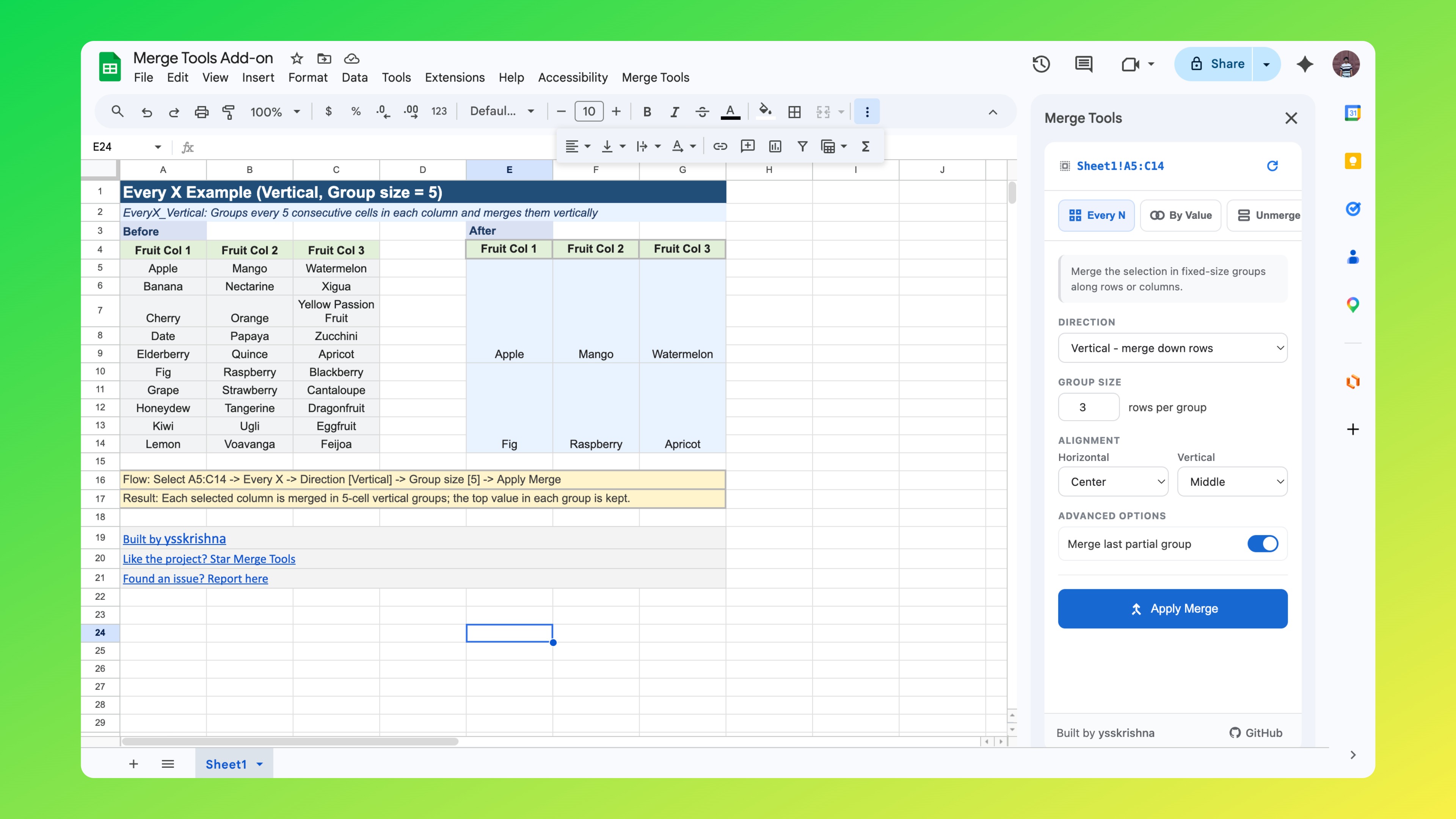
Merge Every N Cells
Merge your selection into fixed-size groups across rows or columns.
- Group size: Choose exactly how many cells to combine in each block.
- Last partial group: Merge or leave the final incomplete group.
Merge by Value
Automatically merge neighboring cells based on cell content.
- Merge repeated values: Merge consecutive identical values horizontally or vertically.
- Merge value with empty cells: Extend value blocks through adjacent empty cells.
- Column modes: Keep each column independent or follow the first column’s pattern.
Unmerge
Split merged cells quickly while preserving information.
- Optional fill: Copy original merged value into all split cells.
Concatenate & Merge
Join multiple values into one and merge the result.
- Flexible separators: Comma, semicolon, pipe, dash, newline, or custom text.
- Trim whitespace: Remove extra spaces before joining.
- Skip empty cells: Prevent unwanted gaps in combined output.
Common Merge Options
- Direction: Vertical (columns) or horizontal (rows).
- Alignment: Set horizontal and vertical alignment for merged cells.
Merge Tools — Examples Workbook
A public Google Sheet shows each mode with a real Before → After layout.
| Sheet (tab) | What it shows |
|---|---|
EveryX_Vertical | Groups every 5 consecutive cells in each column and merges them vertically |
EveryX_Horizontal | Groups every 5 consecutive cells in each row and merges them horizontally |
EveryX_Leftover | Compares leaving vs. merging the leftover rows when the total count isn't a multiple of the group size |
ByValue_Repeat_Vertical | Looks down each column and merges runs of identical values into one cell |
ByValue_Repeat_Horizontal | Looks across each row and merges runs of identical values into one cell |
ByValue_Blanks | Extends each cell's merge region to cover all consecutive empty cells that follow it |
UnmergeFill | Breaks merged cells into individual cells, filling each one with the original merged value |
Concat_Vertical | Combines cell values down each column into a single comma-separated string, then merges |
Concat_Horizontal | Combines cell values across each row into a single delimited string, then merges |
Tip: Each example uses a selected range (multiple rows and/or columns), not a single row only—select a similar area in your own sheet when reproducing the behavior.
Why users love Merge Tools
- Saves significant time on repetitive formatting tasks.
- Preserves data integrity while transforming merged ranges.
- Produces clean, professional spreadsheet output quickly.
- Runs directly inside Google Sheets with a simple sidebar workflow.
Screenshots